Personal Discounts in Retail: How to Add Recommendations to the Purchase Flow Without Breaking UX
Why Retailers Are Reworking Mobile Offers
Retail apps are no longer judged only by speed, catalog depth, or payment convenience. Customers expect relevance too. Many retail teams already understand this, yet the gap between adding personalization and making it feel natural inside the app is still large.
A personalized offers retail app can increase conversion, strengthen loyalty, and make shopping feel more relevant. The same feature can also create friction when offers, discounts, and recommendations appear too early, too often, or in the wrong place.
That is the real product issue. The question is not whether personalization belongs in retail. The question is how to place in-app discounts, loyalty value, and product recommendations inside the purchase flow without turning the interface into a wall of promos.
Why Personalization Often Damages UX
Offers appear before intent is visible
One of the most common mistakes is showing coupon cards, promo sliders, and recommendation blocks the moment a user opens the app. That rarely feels useful. It feels premature.
Personalization becomes more effective when it reacts to signals that already exist. Those signals may include:
- viewed products
- repeated category visits
- basket contents
- loyalty tier
- store visit patterns
- replenishment timing
Without that context, the app is usually guessing.
Loyalty is separated from the shopping journey
Many retailers still treat the loyalty program mobile app as a separate destination. Users browse products in one part of the app, but rewards, discount rules, and member benefits sit somewhere else. That weakens the effect.
If a shopper qualifies for a better price, a member-only offer, or a reward threshold, that value should appear at the decision point itself. It should not be hidden several screens away in an account section.
Recommendation logic gets ahead of interface discipline
A strong retail recommendations engine can still produce a weak app experience when every screen asks for attention. Once too many blocks compete at the same time, none of them feels important.
The aim is not to display the maximum number of recommendations. The aim is to improve the next shopping decision with as little friction as possible.
What a Better Retail Personalization Flow Looks Like
Discovery stage
At the browsing stage, personalization can reduce search time and help users move through the catalog faster. Useful examples include:
- relevant categories
- recently viewed products
- purchase-history-based suggestions
- local stock availability
At this stage, personalization should guide browsing, not interrupt it.
Product detail stage
This is often the best moment for recommendations that support evaluation. Examples include:
- compatible products
- bundle suggestions
- quantity incentives
- tier pricing
- member-specific pricing
The recommendation should make the current product decision easier.
Cart stage
This is where in-app discounts often work best. By this point, intent is already clear. The app can present:
- threshold-based rewards
- relevant add-ons
- member discounts
- simple bundle logic tied to cart contents
Because the offer connects directly to selected items, it feels more natural and more useful.
Post-purchase stage
After payment, personalization can support retention without putting pressure on checkout. This stage is often a better place for:
- replenishment reminders
- reorder prompts
- cross-sell suggestions
- loyalty progress updates
This keeps checkout cleaner while still extending the value of personalization.
What a Personalized Offers Retail App Should Include
One clear recommendation at a time
A good personalized offers retail app does not need multiple competing offers on one screen. In most cases, one strong recommendation performs better than several weaker ones.
That keeps the interface readable and lowers decision fatigue.
Simple logic behind the offer
Users are more likely to trust a recommendation when they understand why they are seeing it. A short line of microcopy often helps.
Examples:
- Available with your loyalty tier
- Frequently bought with items in your cart
- Based on your recent purchases
- Unlocked after reaching the basket threshold
That small explanation can make the offer feel relevant instead of random.
Loyalty value inside the purchase path
A loyalty program mobile app should support the shopping journey directly. It should not behave like a separate reward wallet that users have to check on their own.
Loyalty value works better when it appears through actions such as:
- member pricing on product pages
- basket progress toward a reward
- discounts triggered by category behavior
- repeat-purchase reminders after a realistic interval
- cross-sell suggestions based on order history
What Matters in Retail Loyalty App Development
Reliable data beats excessive data
In retail loyalty app development, teams often try to collect every possible signal from day one. In practice, the first release usually works better with a smaller set of inputs that the product can trust.
A strong starting set often includes:
- purchase history
- basket contents
- viewed products
- order frequency
- location context
- loyalty status
That is enough to build a useful first layer of personalization in retail without overloading the product.
Rules still matter before advanced AI
A retail recommendations engine does not need a complex AI layer from the start. Many retail apps can begin with:
- recommendation rules
- product affinities
- basket triggers
- customer segments
More advanced modeling can come later. The first task is to make the flow work.
Checkout has to stay protected
This is one of the clearest product rules. The closer the shopper gets to payment, the cleaner the interface should become.
Recommendations near checkout need tighter limits than recommendations during browsing. If a personalized element delays payment, shifts the layout, or adds pressure right before confirmation, it is hurting the transaction instead of helping it.
How One Logic Soft Approaches This in Retail Products
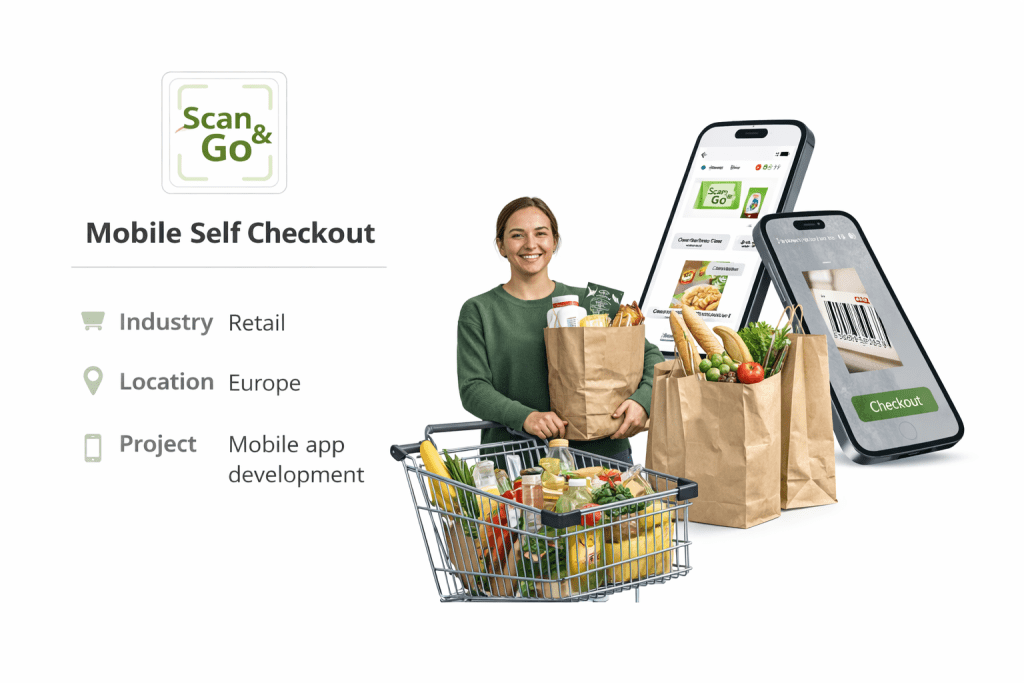
One Logic Soft already shows its retail and commerce work through the Case Studies section, including the Scan&Go Mobile Self-Checkout Case Study. That example is especially relevant here because the app flow was built for fast in-store use, loyalty engagement, and personalized offers without disrupting the core scan-cart-pay journey.
This is the main lesson for retailers. Offers and recommendations cannot sit on top of the flow like decoration. They have to fit the task the user is trying to complete.
In a Scan&Go app, that task is speed and low friction inside a real store. In a loyalty app, it may be basket growth, repeat purchase, or reward visibility. In both cases, the same rule applies: relevance should support motion, not block it.
What an MVP Usually Includes
A practical first release does not need every personalization scenario at once. A solid MVP usually includes:
- basic loyalty account logic
- member pricing or reward visibility on product pages
- cart-triggered in-app discounts
- simple product recommendations based on behavior
- post-purchase reorder or replenishment prompts
- analytics for clicks, redemptions, and conversion impact
This gives retail teams a usable base for testing whether personalization improves order value, repeat purchase behavior, and engagement without adding UI noise.
Comparison Table: How to Add Personalization Without Damaging the User Flow
| Retail app area | Good implementation | Weak implementation | UX effect |
| Home or discovery | Relevant categories, recent-interest signals, limited suggestions | Generic promos shown to everyone | Better orientation instead of clutter |
| Product page | Compatible items, member pricing, one useful offer | Multiple banners and unrelated discounts | Better decision support instead of distraction |
| Basket | Threshold rewards, bundle logic, cart-based discounts | Aggressive upsell blocks before payment | Better conversion instead of checkout friction |
| Checkout | Minimal personalization, one clear value message if needed | Repeated prompts, pop-ups, layout shifts | Faster completion instead of abandonment risk |
| Post-purchase | Reorder prompts, realistic replenishment timing, loyalty progress | Irrelevant cross-sell spam | Better retention instead of lower trust |
| Loyalty area | Reward status tied to shopping actions | Rewards isolated from purchase flow | Better engagement instead of hidden value |
FAQ
What is a personalized offers retail app?
A personalized offers retail app is a retail mobile app that adjusts discounts, promotions, and product suggestions based on user behavior, loyalty status, purchase history, basket contents, or context such as store location and timing.
How is retail loyalty app development different from standard e-commerce app development?
Retail loyalty app development adds reward logic, tier mechanics, account-based incentives, repeat-purchase flows, and targeted offers inside the shopping journey. The goal is not only to support transactions, but also retention and purchase frequency.
Where should in-app discounts appear?
In-app discounts usually work best on product pages, in the basket, and after purchase. They perform better when intent is already clear and the offer matches the current action.
What does a retail recommendations engine do?
A retail recommendations engine selects products, bundles, or offers based on signals such as browsing activity, basket composition, purchase history, and loyalty data. In a strong product flow, it supports decision-making without competing for attention.
Why can personalization hurt UX?
It damages UX when the app shows too many offers, uses poor timing, interrupts checkout, or pushes irrelevant recommendations. Personalization works better when it is limited, contextual, and tied to a clear stage of the buying journey.
What should a loyalty program mobile app include first?
A strong first version of a loyalty program mobile app usually includes account status, visible benefits, reward progress, member-specific pricing or offers, and analytics that help teams measure engagement and redemption behavior.


Have a project in mind?
Let's chat
Your request has been accepted!
In the near future, our manager will contact you.
Have a project to discuss?

Have a partnership in mind?