Automation for Clinics: Emails, PDFs, Notifications, Imports, and Reports That Actually Reduce Admin Work
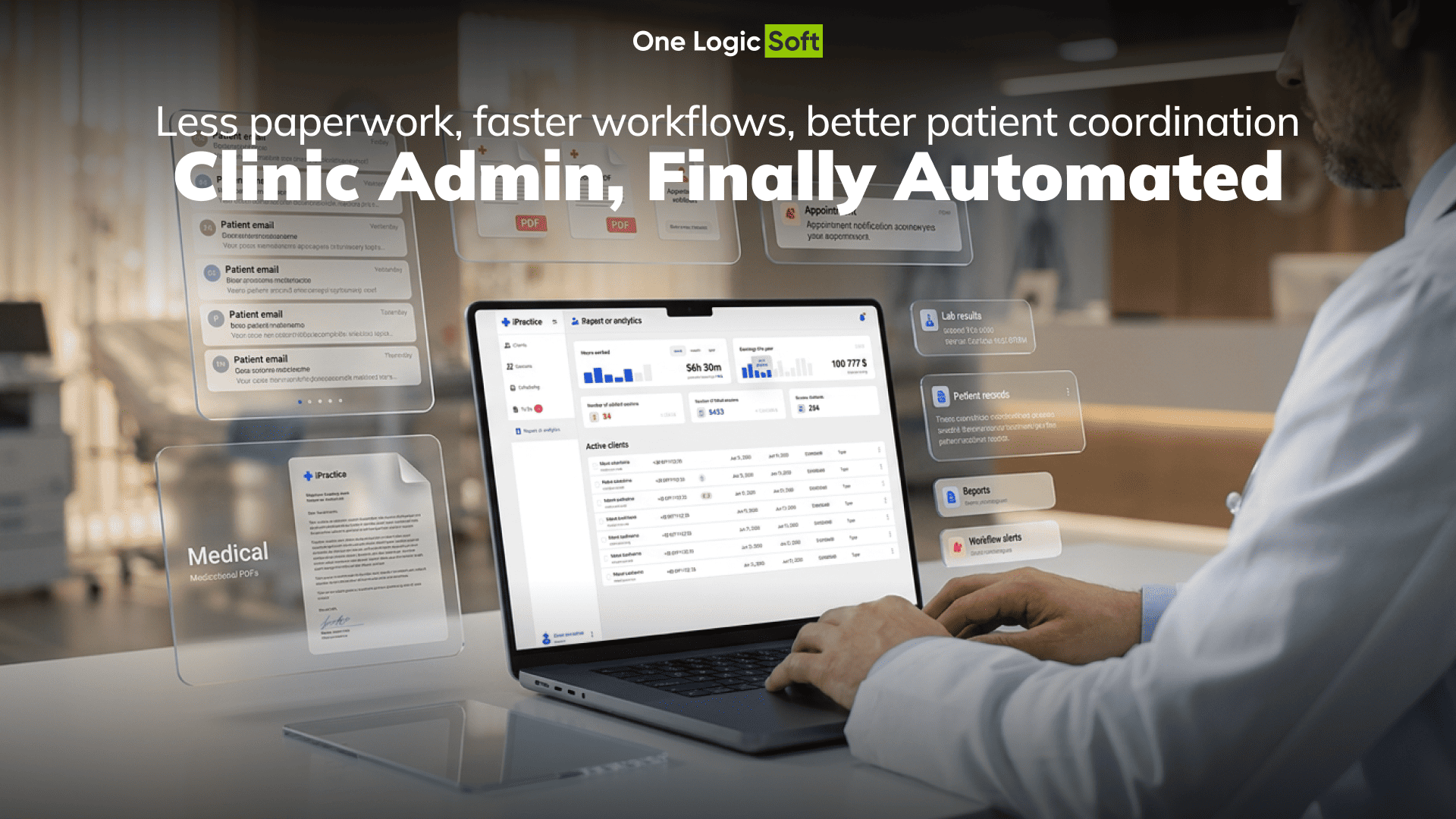
Online booking lets patients choose a doctor and reserve a time slot, but it does not solve the full operational problem for clinics. Scheduling may become digital, while the surrounding tasks still remain manual.
That is why automation matters. A strong healthcare booking platform should support the entire appointment workflow, not just the first step. Confirmations, reminders, documents, communication, data handling, and reporting all influence how much work still falls on the admin team.
The real goal is not simply to launch a booking form. It is to reduce routine coordination, make appointment handling more predictable, and give staff a more manageable workflow.
Why Booking Alone Is Not Enough
Many clinics introduce online scheduling expecting it to reduce admin effort automatically. In practice, that often does not happen. Patients may book online, but staff still spend time managing everything around the appointment.
That usually includes:
- confirming bookings
- resending appointment details
- processing cancellations or changes
- answering routine patient questions
- importing or exporting scheduling data
- checking payment status
- reviewing activity across doctors or time slots
When these tasks stay separate, the system may improve the patient experience without meaningfully reducing the clinic’s internal workload.
That is where clinic admin automation becomes important. It connects scheduling with the operational tasks that usually consume time at the front desk.
What a Clinic Booking Platform Should Automate
A modern healthcare appointment booking system should treat administrative workflows as part of the product, not as secondary tools.
The most useful automation areas usually include:
- automated appointment confirmations
- PDF appointment confirmation generation
- email notifications for booking and appointment updates
- CSV import and export support
- reporting on booking activity and cancellations
- payment-related workflow support
Together, these features reduce repetitive coordination and allow clinics to respond faster when schedules change.
Automated Confirmations Keep the Schedule Clear
One of the most practical improvements in a doctor appointment system is confirmation automation.
After a booking is completed, the patient should immediately receive clear appointment details and know what happens next. That may include:
- date and time
- doctor information
- clinic location
- visit instructions
- booking status
- follow-up steps
Without this, patients often contact the clinic simply to check whether the appointment was recorded correctly.
That is why automated appointment confirmations are so valuable. They save time, reduce uncertainty, and make the schedule more reliable for both patients and staff.
Why PDF Appointment Confirmation Still Matters
A PDF appointment confirmation may seem like a minor feature, but it solves a practical communication problem.
Patients often want one document they can:
- save
- forward
- review before the visit
A well-structured confirmation PDF keeps all essential details in one place instead of forcing patients to search through messages or revisit the platform.
For clinics, this means fewer clarification requests and a more consistent post-booking process.
Notifications Should Follow the Workflow
Sending messages is easy. Sending the right message at the right moment is what actually improves operations.
The value of email notifications healthcare workflows comes from relevance and timing. Patients should receive communication that matches the stage of the appointment journey, not a stream of generic updates.
Typical examples include:
- booking confirmation
- appointment reminder
- pre-visit instructions
- cancellation or reschedule notice
- post-booking follow-up
- payment-related notification
When communication fits the workflow, it supports the patient and reduces avoidable back-and-forth with the clinic.
Imports and Exports Save Time Behind the Scenes
Data handling is often overlooked in scheduling platforms, even though it directly affects clinic efficiency.
If admins still have to move information manually between spreadsheets, emails, and appointment records, the product creates extra friction instead of reducing it. That is why import and export tools are a real part of healthcare workflow automation.
CSV-based workflows can support:
- administrative imports
- appointment data exports
- operational record handling
- internal reporting tasks
These functions may not be visible to patients, but they make the system far easier to manage on the clinic side.
Reporting Makes the Workflow Visible
Automation becomes far more useful when clinics can see how the scheduling process is actually performing.
That is why reporting is an essential part of online appointment scheduling software. Teams need visibility into patterns such as:
- booking volume
- provider workload
- cancellations
- peak scheduling periods
- filled and unfilled time slots
- overall workflow consistency
Without reporting, inefficiencies remain hidden. With it, clinics can see where the process works well and where admin effort is still being lost.
Payments Also Influence Admin Work
Payment handling is often treated as a separate topic, but in practice it affects appointment operations directly.
When payment status sits outside the booking workflow, staff often need to check records manually, answer payment-related questions, and coordinate details across systems.
That is why Stripe integration booking system logic can strengthen a scheduling platform. Even when payments are not the core feature, linking them to appointments makes the overall workflow more consistent and easier to manage.
How One Logic Soft Approaches This in Healthcare Products
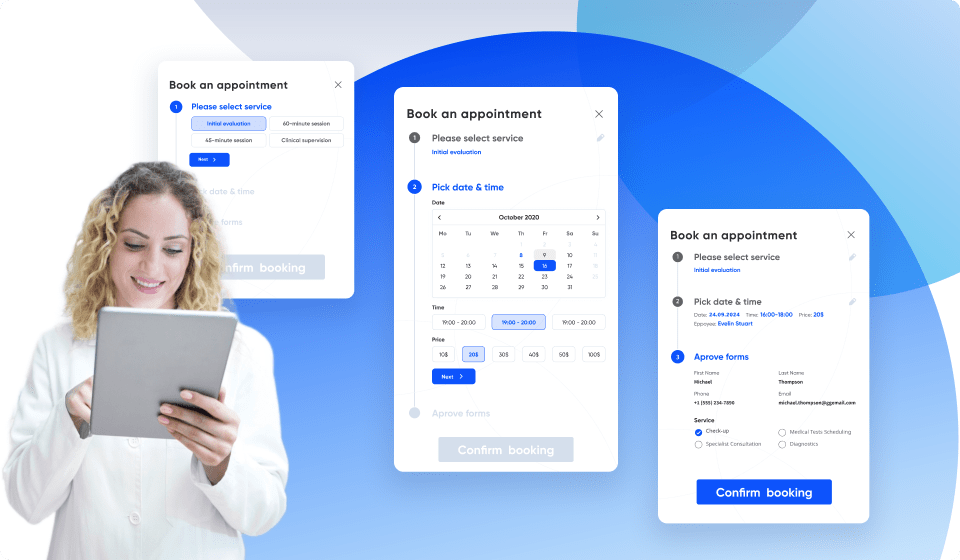
One Logic Soft presents its delivery experience through the Case Studies section, including the i-Practice Online Booking Web Platform Case Study.
That case is especially relevant here because the platform combined doctor selection and appointment scheduling with supporting features such as patient reviews, PDF appointment confirmations, email notifications, CSV handling, and Stripe in the technology stack.
The key lesson is simple: the admin side should not feel separate from the booking flow. Scheduling works better when confirmations, communication, documents, and operational tools are already built into the product.
In i-Practice, that created a cleaner experience for patients and a more structured workflow for the clinic.
What an MVP Usually Includes
A practical first release does not need every possible automation feature. A strong MVP often includes:
- doctor selection and appointment scheduling
- automated booking confirmations
- PDF appointment confirmation
- email notification logic
- basic administrative import/export support
- simple reporting visibility
- payment workflow support where relevant
This gives clinics a solid operational foundation without overcomplicating the first version of the platform.
What Features Actually Reduce Admin Work in a Clinic Booking Platform
| Clinic workflow area | Good implementation | Weak implementation | Operational effect |
|---|---|---|---|
| Booking flow | Clear doctor selection and time-slot choice | Confusing multi-step scheduling | Faster patient completion |
| Confirmation | Immediate confirmation with structured appointment details | Manual follow-up or vague confirmation | Fewer status-check calls |
| Appointment documents | PDF confirmation with key visit info | No reusable appointment summary | Less repeated clarification |
| Notifications | Timely workflow-based messages | Generic or excessive email sending | Better communication consistency |
| Admin data handling | CSV import/export for operational tasks | Manual spreadsheet work | Lower admin effort |
| Reporting | Visibility into bookings, cancellations, and provider activity | No workflow-level reporting | Better operational decisions |
| Payments | Appointment-related payment support | Payment handled outside the workflow | Less reconciliation friction |
FAQ
What is clinic admin automation?
Clinic admin automation uses digital workflow features to reduce manual work around appointment scheduling, confirmations, communication, data handling, and reporting.
Why is a PDF appointment confirmation useful?
It gives patients a clear summary they can save, print, or forward, while reducing repeated questions about booking details and visit instructions.
What should email notifications do in a healthcare booking platform?
They should support the booking journey with relevant updates such as confirmations, reminders, instructions, rescheduling notices, and follow-up messages.
Why do imports and exports matter in online appointment scheduling software?
They reduce manual data handling and make operational information easier for clinics to manage.
What should reporting show in a doctor appointment system?
Reporting should include booking activity, provider utilization, cancellations, time-slot performance, and other operational patterns that reveal how the scheduling workflow is performing.
How does Stripe fit into a medical booking website?
Stripe can support payment-related booking workflows and reduce the need to manage payment status separately from appointment operations.


Have a project in mind?
Let's chat
Your request has been accepted!
In the near future, our manager will contact you.
Have a project to discuss?

Have a partnership in mind?