Retail Software Budget for POS, Inventory, Loyalty, and Customer Apps
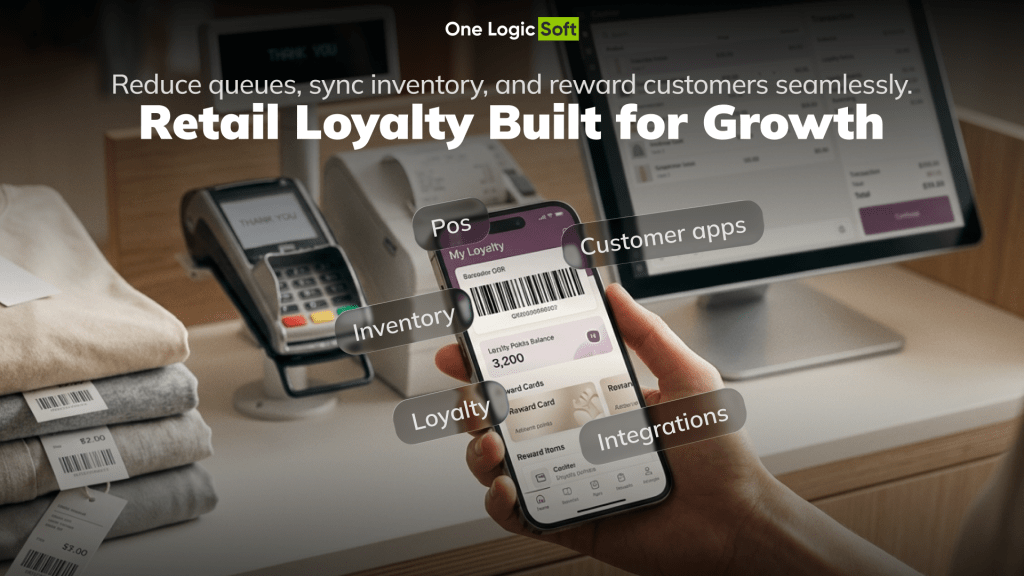
A retail team rarely asks for “custom software” in the abstract. The request sounds simpler: replace an outdated POS, connect inventory to the online store, add a loyalty app, sync product data across locations, make reports less manual, and reduce queues during peak hours.
The cost starts changing once those ideas meet real operations.
A POS connected to one store is one project. A POS connected to inventory, ERP, customer profiles, promotions, loyalty rules, self-checkout, returns, analytics, and multi-location stock is a different investment. The screens may look similar. The hidden logic is not.
That hidden logic matters. In 2025, IHL Group reported that global retailers still lose $1.73 trillion annually from inventory distortion, meaning out-of-stocks and overstocks. The number is not a software cost estimate, but it shows why retail systems are judged by operational accuracy, not by screen count alone. McKinsey’s research on large IT projects found that large projects ran 45% over budget, 7% over time, and delivered 56% less value than predicted. Retail software carries the same risk when scope, data, integrations, and rollout planning stay vague too long.
This article explains what shapes retail software development cost when the product includes POS, inventory, loyalty, customer apps, dashboards, and integrations. It shows how to plan the first release without turning every business wish into a costly build.
Why Retail Software Cost Is Hard to Estimate From a Feature List
Retail software sits between customers, store teams, finance, warehouse operations, suppliers, payment providers, CRM, and e-commerce channels. A small change in one layer can create work in several others.
For example, “show product availability” sounds like a simple feature. In a real retail environment, the team has to answer practical questions before pricing it:
- Which stock source is trusted: POS, ERP, warehouse system, Shopify, custom backend, or store-level database?
- How often does availability update: instantly, every few minutes, hourly, daily?
- What happens with reserved stock, returns, damaged goods, pickup orders, and stock in transit?
- Who can correct inventory, and should the system keep an audit trail?
- Should the customer see exact quantity, availability status, or pickup readiness only?
These answers affect architecture, API work, QA, admin tools, error handling, and staff workflows. This is why a retail estimate needs more than a list of screens. It needs process mapping.
One Logic Soft’s Retail Software Development service page frames the work around POS and checkout, inventory accuracy, order workflows, and customer journeys across physical and digital channels. That is the right starting point for cost planning: the business flow comes before the module list.
Main Retail Software Cost Drivers
The largest cost drivers are rarely the visible buttons. They sit in the rules behind transactions, stock movement, customer identity, and system integration.
| Cost Driver | What It Adds to the Project | Why It Affects Budget |
| POS and checkout logic | Cart behavior, discounts, taxes, returns, receipts, staff permissions, offline states | Checkout errors directly affect revenue and customer trust |
| Inventory accuracy | Stock sync, reservations, transfers, returns, damaged goods, audit trails | Every channel depends on the same product and stock truth |
| Loyalty and CRM | Customer profiles, points, tiers, coupons, segmentation, member pricing | Personalization needs clean customer data and rule control |
| Integrations | ERP, warehouse, payment gateways, e-commerce, accounting, delivery, analytics | External systems create dependencies, testing needs, and edge cases |
| Admin, reporting, and rollout | Product management, dashboards, exceptions, training, launch support | Retail teams need control after launch, not just customer screens |
| Security and QA | Access control, logs, payment checks, device tests, stock conflicts | Retail systems handle payments, customer data, and business-critical records |
A retailer can reduce the first release cost by limiting workflows, locations, integrations, and edge cases. A retailer can increase long-term cost by skipping them without a plan.
POS Software Cost: What the Estimate Needs to Include
A custom POS module can be a focused cashier tool, a mobile checkout layer, or a broader store operations system. The cost depends on how much business logic the POS owns.
A lean POS MVP may include product lookup, cart, discounts, payment provider integration, receipt flow, basic staff roles, and sales reporting. A stronger POS setup may include returns, exchanges, loyalty, gift cards, offline mode, cash drawer logic, barcode scanner support, tax rules, hardware testing, and integration with ERP or inventory systems.
Retailers comparing custom POS work with ready-made POS platforms need to include more than subscription price. Shopify POS pricing shows POS Pro as an upgrade priced per retail location. Square for Retail pricing shows a different model around POS software, payment processing, hardware, and optional tools. These platforms can fit many retail models. Custom development becomes relevant when the business needs proprietary workflows, deeper integrations, special approval logic, custom reporting, or ownership over the operating model.
POS Cost Planning Questions
Before asking for a POS software estimate, define:
- Which store roles need access: cashier, manager, inventory clerk, admin, finance, support.
- Which checkout situations need support: discounts, returns, exchanges, split payments, pickup, delivery, loyalty redemption.
- Which devices and hardware need testing: tablets, scanners, receipt printers, payment terminals, kiosks.
- Which systems need sync: inventory, ERP, CRM, accounting, warehouse, e-commerce.
- Which reports matter after launch: sales by location, cashier activity, product performance, returns, stock exceptions.
A vague POS request produces a vague price. A mapped checkout process produces an estimate the business can compare.
Inventory Software Cost: Where Hidden Work Appears
Inventory is one of the most expensive parts of retail software when the company operates across stores, warehouses, online sales, pickup, returns, and promotions. The difficulty is not showing a stock number. The difficulty is keeping that number trustworthy.
A useful inventory module may need product variants, SKUs, barcodes, bundles, store-level stock, warehouse stock, reservations, transfers, return-to-stock rules, damaged stock statuses, low-stock alerts, stock counts, imports, exports, and audit logs.
Cost rises when inventory logic needs near real-time synchronization. It rises again when legacy systems store product data in inconsistent formats. If product names, SKUs, prices, and categories differ across channels, the project needs data cleanup before the software can behave reliably.
This is where the Könner & Söhnen Shopify Plus Commerce Platform case is useful. The project involved six regional stores, 11 languages, B2B pricing, structured catalog data, and automation for product and price updates. That kind of retail and e-commerce work shows why catalog and inventory logic affect budget long before the customer sees a storefront.
Loyalty and Retail App Cost: Retention Logic Adds More Than Screens
A retail app often begins with customer-facing features: catalog, search, cart, checkout, order tracking, saved preferences, and push notifications. Once loyalty enters the plan, the product becomes more complex.
Loyalty is not just a points screen. It may include customer account linking across POS, app, and e-commerce, point earning and redemption rules, member pricing, coupon logic, tiers, birthday offers, refund impact on points, fraud prevention, CRM segments, campaign triggers, and analytics for repeat purchases.
One Logic Soft’s Retail App Development page describes mobile retail apps around discovery, checkout, loyalty mechanics, personalized recommendations, and integrations with POS, inventory, ERP, payment providers, delivery services, CRM, and analytics. For cost planning, the app budget depends on the backend and data layer as much as mobile UI.
A practical cost-control move is to phase loyalty. Start with account, purchase history, and basic offers. Add deeper tiers, personalization, and recommendation logic after customer data quality improves.
Integrations: The Part That Changes the Estimate Fastest
Retail integrations create cost movement because the development team depends on external systems, third-party documentation, sandbox quality, data formats, and real production behavior.
A typical retail system may need to connect POS, inventory, ERP, accounting, e-commerce, payment gateways, CRM, warehouse tools, delivery services, BI, loyalty providers, and product information management systems.
The risk is not the word “API.” The risk is unclear ownership. Which system creates the order? Which system changes product price? Which system owns tax? Which system confirms stock? Which system is trusted when data conflicts?
One Logic Soft’s article on integrations in projects explains why integration deadlines often break around access, documentation, data mapping, permissions, test environments, and production behavior. Retail software needs those risks priced before development, not after the team starts connecting systems.
A retail estimate should name each integration, the direction of data flow, update frequency, error handling rules, and test access. If these items are missing, the estimate is still a guess.
Build, Buy, or Extend: Which Path Changes the Budget
Retail software cost depends on the build strategy. A retailer does not always need a fully custom platform. In many cases, the strongest option is a mix of ready-made tools, custom logic, and integrations.
A ready-made POS or e-commerce platform fits standard checkout, a simple catalog, and limited locations. A platform-plus-integration approach fits retailers that already use Shopify, ERP, CRM, or WMS and need stronger data flow between them. A custom module fits a specific pain point such as inventory sync, reporting, loyalty, or Scan&Go. A full custom retail platform fits complex multi-location or multi-market operations where the company needs deeper control over data, workflows, and rollout.
For many companies, the right answer is not “build everything.” It is build the logic that gives the business control, and connect the parts that already work.
Retail App Cost and Scan&Go: Why MVP Scope Matters
A retail app can be priced as a mobile interface, but the real cost sits in the full customer path.
A Scan&Go app involves scanning, cart creation, product lookup, price validation, promotions, payment, receipt logic, store selection, loyalty, fraud prevention, and support for real store conditions. It may sound like “barcode scanning plus payment,” but a safe store rollout needs more than that.
The Scan&Go Mobile Self-Checkout Case Study shows the right MVP framing. One Logic Soft delivered a mobile self-checkout flow where shoppers scan items, add them to a digital cart, and pay on the go. The project was shaped around peak-hour queues, faster checkout, mobile-first interaction, multi-store rollout, localization readiness, loyalty, and personalized offers.
That is why MVP planning matters. The first version should solve one clear business problem, not imitate every function of a full retail ecosystem.
A focused retail MVP may include a customer or staff app, product lookup, basic cart logic, simple inventory visibility, payment provider connection, order history, admin control, and analytics events. Later releases can add loyalty, segmentation, advanced inventory rules, deeper ERP sync, store-level reporting, and self-checkout expansion.
Practical Budget Scenarios for Retail Software
Exact pricing depends on scope, team structure, system access, market requirements, and launch expectations. Still, budget planning needs commercial ranges before a full specification exists.
The ranges below are not fixed quotes. They help compare project levels and spot scope mismatch early.
| Retail Software Scenario | Typical Scope | Planning Range |
| Focused POS or inventory MVP | One core workflow, limited roles, one or two integrations, basic admin | $35,000-$80,000 |
| Retail mobile app MVP | iOS and Android app, catalog, cart, basic account, payment or order flow | $45,000-$120,000 |
| Inventory and order management layer | Multi-location stock, reservations, returns, admin, reporting, e-commerce sync | $80,000-$180,000 |
| Loyalty and CRM-connected app | Profiles, points, offers, segments, promo rules, analytics | $70,000-$180,000 |
| Scan&Go or mobile self-checkout MVP | Scanning, cart, payment, receipt logic, store setup, admin, QA in real conditions | $100,000-$250,000+ |
| Multi-location retail ecosystem | POS, inventory, ERP, e-commerce, loyalty, reporting, rollout support | $250,000-$600,000+ |
A small retailer may spend less by configuring an existing platform. A multi-market retailer may spend more if the product includes B2B pricing, regional catalogs, multi-language content, warehouse flows, and complex approval rules.
Cost control comes from release design. Build the smallest version that proves operational value, then expand with data from real usage.
Where Retail Software Projects Get More Expensive Than Expected
Retail software budgets often rise for predictable reasons. The project looks like a feature build, then turns into an operations rebuild.
Common budget traps include inconsistent product data, different SKU logic across POS and e-commerce, undocumented inventory correction rules, underestimated staff permissions, underplanned refunds, discount rules that conflict with loyalty rules, late ERP access, API limits, weak test data, and rollout needs that were left outside the first estimate.
The fix is not to inflate the estimate. The fix is to separate known scope, unknown risks, assumptions, and options.
Here is how weak retail requirements turn into stronger cost control:
- Weak: “The system should manage inventory.” Stronger: “The store manager can adjust stock for a selected SKU, choose a reason code, add a note, and the system records manager ID, previous quantity, new quantity, timestamp, and affected location.”
- Weak: “The app should support loyalty.” Stronger: “A logged-in customer earns 1 point per eligible purchase unit after payment capture. Returned items subtract points after refund confirmation. Admin users can exclude selected categories from point earning.”
- Weak: “The POS should handle discounts.” Stronger: “Cashiers can apply approved promo codes only within active date ranges. Manager approval is required when a discount exceeds the configured limit for the store.”
- Weak: “The app should show availability.” Stronger: “Product pages show ‘Available today,’ ‘Low stock,’ or ‘Unavailable’ based on the selected store, reserved stock, and the last successful inventory sync.”
This level of detail protects the estimate. It gives developers, QA engineers, managers, and stakeholders the same operating logic.
How to Reduce Retail Software Development Cost Without Weakening the Product
A cheaper retail project is not always the project with fewer features. It is the project with fewer unclear decisions.
Use these steps before development starts:
- Map the core retail workflow from customer action to back-office record.
- Pick one main business result for release one: faster checkout, better stock visibility, loyalty activation, fewer manual reports, or multi-store sync.
- List every system that creates, edits, or reads product, stock, order, payment, or customer data.
- Decide which system is the source of truth for each data type.
- Separate must-have release-one features from roadmap features.
- Define admin roles, staff permissions, and audit trails early.
- Confirm integration access, documentation, sandbox limits, and test data before final estimate approval.
- Build QA scenarios around real retail moments: returns, discounts, stock conflicts, failed payments, offline states, peak traffic, and store-level errors.
This approach reduces rework, protects the budget, and gives the business a clearer launch plan.
A Better Way to Plan the First Release
The first release should prove one business result and prepare the system for growth.
For a retailer with outdated POS and weak inventory accuracy, release one might focus on product data cleanup, store-level stock visibility, and one checkout or order workflow. Loyalty can wait.
For a retailer with long queues, release one might focus on a Scan&Go MVP for selected stores, not a full loyalty ecosystem.
For a retailer with several regional storefronts, release one might focus on catalog, pricing, language structure, and order automation, as seen in the Könner & Söhnen case.
A strong release-one plan answers these questions:
- What business problem will this release reduce?
- Which users need the system on day one?
- Which integrations are required before launch?
- Which workflows can remain manual for the first version?
- Which data needs migration or cleanup?
- Which metrics will prove value after rollout?
This is where project estimation before development connects directly to retail software cost. A useful estimate is not just a number. It is a decision framework.
How One Logic Soft Approaches Retail Software Cost Planning
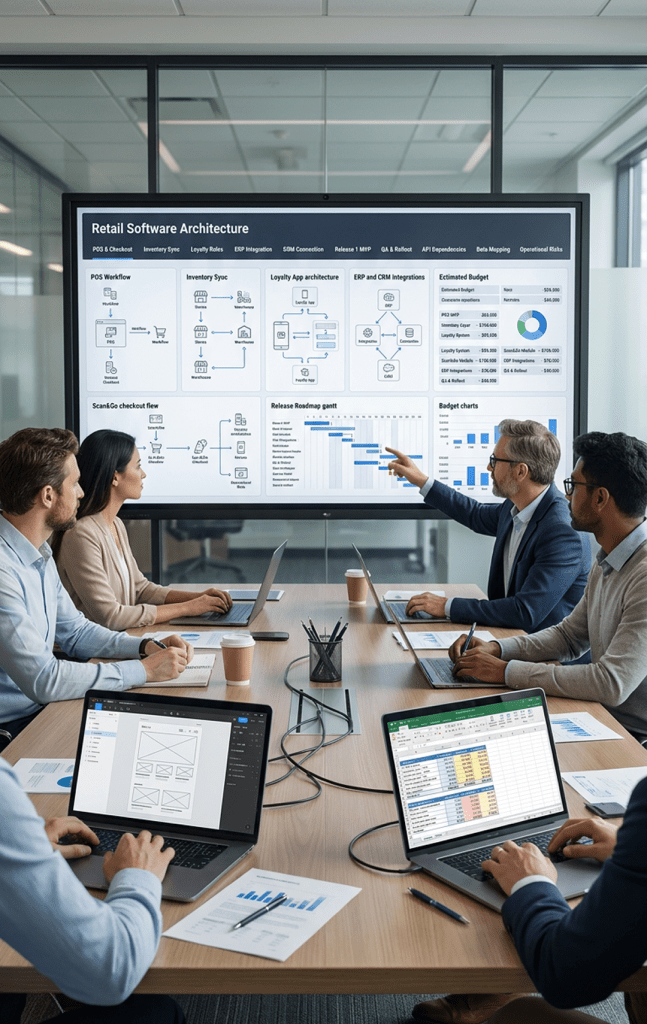
One Logic Soft treats retail software estimation as part of product planning. The team reviews the business goal, maps customer and staff workflows, checks system dependencies, separates release-one scope from roadmap items, and connects the estimate with QA, rollout, and support.
This approach fits retail projects where the product depends on operational logic, not just interface delivery. Relevant work includes custom software development, retail software development, retail app development, the Scan&Go mobile self-checkout case, and the Könner & Söhnen Shopify Plus platform.
For a company that already has a clear scope, One Logic Soft can move toward a structured proposal. For a company with a rough idea, the safer path is a planning phase that defines workflows, integrations, data rules, and launch priorities before the full budget is fixed.
Retail Software Cost Checklist Before You Ask for an Estimate
Before requesting a quote, prepare answers to these questions:
- What is the main business goal of release one?
- Which systems store product, stock, order, payment, and customer data?
- How many locations, regions, and user roles are in scope?
- Which POS, ERP, CRM, payment, and e-commerce tools need connection?
- What retail edge cases matter most: returns, discounts, failed payments, stock conflicts, pickup, or offline states?
- What needs to be real-time, and what can update on schedule?
- Which features belong to release one, and which belong to the roadmap?
- Who signs off on workflows and acceptance criteria?
These answers help a development partner price the project as an operating system for retail work, not as a disconnected group of screens.
FAQ
How much does retail software development cost?
Retail software development cost can start around $35,000-$80,000 for a focused POS or inventory MVP and reach $250,000-$600,000+ for a multi-location retail ecosystem with POS, inventory, ERP, e-commerce, loyalty, reporting, and rollout support. The range depends on scope, integrations, data quality, team structure, and launch requirements.
What affects POS software cost most?
The biggest POS cost factors are checkout rules, payment integration, returns, discounts, staff permissions, hardware, offline logic, reporting, and inventory sync. A simple cashier interface costs less than a POS connected to ERP, loyalty, stock reservations, and multi-store operations.
Is custom retail software cheaper than a ready-made POS?
Not at the beginning. A ready-made POS platform often has a lower entry cost. Custom retail software makes sense when the retailer needs ownership over workflows, custom integrations, special reporting, multi-location rules, or a customer experience that standard tools cannot support cleanly.
How much does an inventory software module cost?
A focused inventory module may fit a medium MVP budget when it handles basic stock visibility, products, and one or two integrations. Cost grows when the system needs real-time stock sync, multiple warehouses, store transfers, reservations, damaged stock statuses, audits, and ERP or e-commerce integration.
Why do retail integrations increase project cost?
Integrations increase cost through data mapping, authentication, API limits, sandbox setup, error handling, testing, and production monitoring. The estimate grows when several systems can create or change the same product, order, stock, payment, or customer record.
Can a retail app launch before loyalty is fully ready?
Yes. Many retail apps can start with account, catalog, cart, order flow, basic offers, and simple purchase history. Loyalty tiers, advanced personalization, and deeper CRM segmentation can move into later releases once the company has cleaner customer data and real usage signals.
What is the best way to reduce retail software development cost?
The best way is to narrow release one around one business result, map workflows before development, confirm integration access early, clean product and stock data, define acceptance criteria, and keep advanced features in a roadmap rather than forcing them into the first launch.
Can One Logic Soft estimate a retail project from an idea?
Yes, but a rough idea usually needs a planning step before a reliable quote. One Logic Soft can review business goals, retail workflows, integrations, data sources, and launch priorities, then prepare a clearer scope and estimate.


Have a project in mind?
Let's chat
Your request has been accepted!
In the near future, our manager will contact you.
Have a project to discuss?

Have a partnership in mind?