Build vs Buy vs Adapt for AI Software How to Choose the Right Path
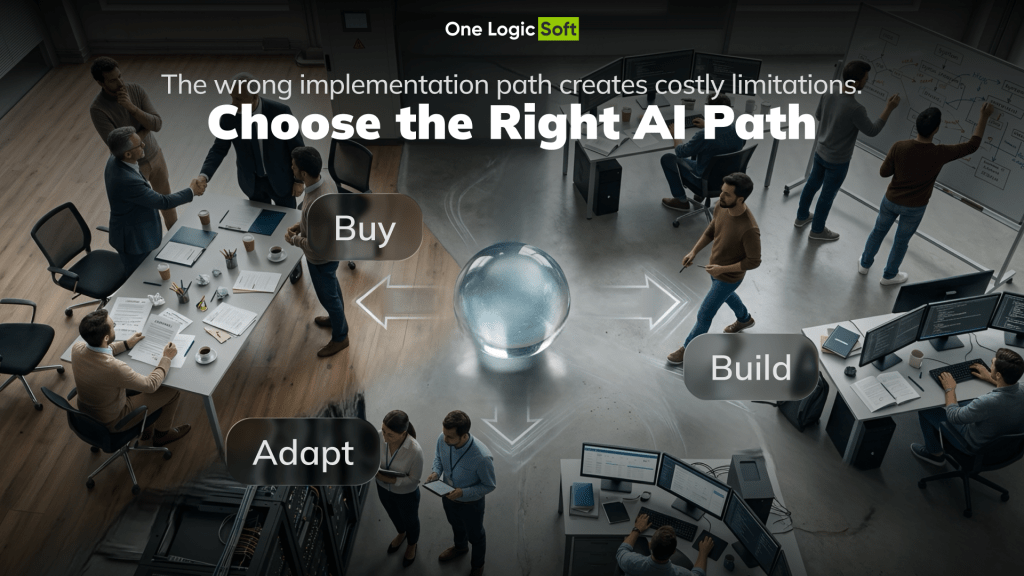
The wrong AI software decision rarely looks wrong during the first demo. A SaaS tool answers sample questions beautifully, but fails when it needs internal data. A custom AI module looks flexible, but the team later finds that a ready vendor product already covers most of the workflow. An existing CRM, ERP, support platform, or e-commerce system already works, but nobody checks whether it can be adapted before planning a full rebuild.
The decision is not just build vs buy AI software. For many companies, the real choice is buy, build, or adapt.
Gartner describes enterprise AI adoption as a mix of AI inside existing applications, packaged AI products, and enterprise-crafted AI. This is a useful way to frame the decision. The best path depends on workflow depth, data access, integrations, risk, control, and long-term ownership.
Why the Build vs Buy Decision Is Harder With AI
Classic software decisions often focus on cost, speed, and feature coverage. AI adds another layer: output quality, data permissions, model behavior, audit logs, human review, vendor dependency, and production monitoring.
A bought AI tool can be useful fast, but it may not fit internal workflows. A custom AI module gives more control, but it needs planning, QA, maintenance, and clear ownership. Adaptation sits in the middle: the company keeps the systems that already work and adds custom AI logic around the missing parts.
This matters because many AI projects still get stuck between pilot and production. McKinsey notes that many enterprises experiment with AI agents, but fewer than 10% scale them to measurable value. The gap is usually not ambition. It is data, workflow, integration, and ownership.
That is why the decision should start with the business process, not with the tool.
When Buying AI Software Makes Sense
Buying works when the use case is standard and the company does not need deep control over the logic.
This path fits tasks such as internal knowledge search, meeting summaries, basic support assistants, sales drafting, simple document extraction, marketing content workflows, or analytics features already included in a SaaS platform.
The advantage is speed. The team avoids building infrastructure, interface, security layers, and vendor integrations from scratch. A ready product can be the right choice when the workflow is common and the risk is low.
The problem starts when the bought tool becomes part of a serious operational process. If it cannot connect to the right systems, respect permissions, handle exceptions, or show why it produced an answer, the team may spend more time creating workarounds than using the tool.
Buying is the right choice when speed matters more than deep workflow control.
When Building Custom AI Software Makes Sense
Building makes sense when AI supports a process that is specific to the company.
A custom AI module is a stronger fit when the company needs proprietary data, role-based workflows, special approval rules, domain logic, private data handling, audit logs, or a user experience built for employees, partners, or customers.
This path is not just about creating an AI assistant. It is about building a capability that fits the company’s operating model.
For example, a logistics company may need AI to check shipment status, detect risks, read route constraints, prepare draft customer updates, and escalate cases to the right dispatcher. A standard SaaS assistant can summarize text. A custom module can connect to order data, warehouse events, customer rules, user roles, and escalation logic.
Building is the right choice when the workflow creates business value and cannot be handled properly by a standard product.
When Adapting Existing Software Is the Better Path
For many companies, adaptation is the strongest option. The company keeps the systems that already work, then adds AI features, connectors, approval flows, dashboards, or workflow layers around them.
This path fits companies with active CRM, ERP, e-commerce, support, document, or operations systems. The issue is not that all software needs replacement. The issue is that the current tools do not automate enough, connect cleanly enough, or support AI-assisted work.
Adaptation can mean connecting AI to existing APIs, adding document search across approved sources, creating a review dashboard, building custom workflow logic, or adding AI support inside an internal process.
This path reduces risk. The company does not throw away working systems and does not depend fully on a vendor’s AI roadmap.
Adaptation is the right choice when the foundation is useful, but the workflow needs custom intelligence around it.
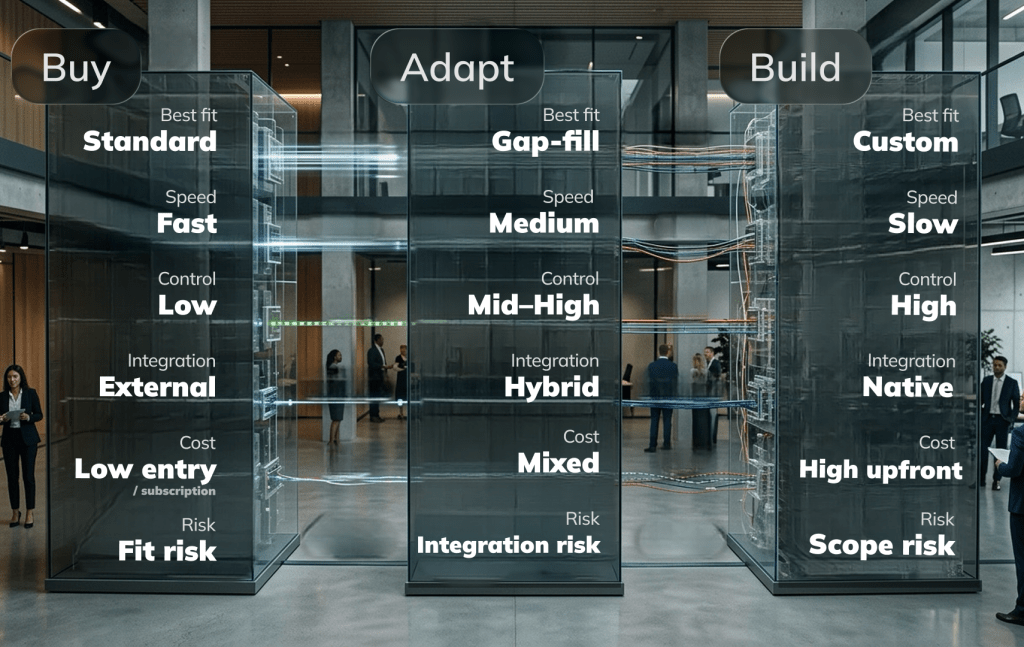
Build vs Buy vs Adapt Decision Table
| Decision Factor | Buy AI Software | Build Custom AI Software | Adapt Existing Software |
| Best fit | Standard use case | Proprietary workflow | Existing system with missing AI logic |
| Speed | Fastest | Slowest | Medium |
| Control | Limited by vendor | High | Medium to high |
| Integration depth | Depends on vendor connectors | Planned from scratch | Strong if APIs and data access are available |
| Cost pattern | Subscription and usage fees | Discovery, development, QA, support | Licenses plus custom work |
| Main risk | Weak workflow fit | Scope growth and maintenance | Hidden integration limits |
| Best start | Pilot with success metric | Project planning and specification | System audit and integration review |
The table shows why the decision is not about custom vs SaaS as a simple argument. The main question is where the company needs control.
What to Check Before Choosing a Path
Before buying, building, or adapting, the team should answer five practical questions.
- What business process will AI improve?
The answer should connect to time saved, fewer errors, faster decisions, lower support load, or better customer experience. - What data does AI need?
The team should know where the data lives, who owns it, how clean it is, and which users can access it. - Which systems need integration?
CRM, ERP, OMS, WMS, billing, e-commerce, support, document storage, and internal tools can change the decision. - What risk level does the workflow have?
Drafting an internal summary is not the same as affecting pricing, customer communication, financial records, or operational routing. - Who owns the AI after launch?
Someone needs to manage prompts, access rules, feedback, model behavior, monitoring, vendor changes, and support.
If these questions are unanswered, the team is not choosing a path. It is guessing.
Practical Example Internal AI Assistant for Operations
A company wants an AI assistant for internal operations. At first, the idea sounds simple: employees should ask questions and get answers from company data.
A ready AI knowledge tool looks suitable. Then the team maps the real workflow. The assistant needs to check CRM notes, order status, customer rules, user permissions, internal documents, and open support cases. It also needs to prepare draft replies and route exceptions to the right team.
Buying can cover basic search and summaries. Building everything from zero may be too slow. Adaptation becomes the better path: use an AI platform for the general AI layer, then add custom connectors, permission logic, approval flows, and logs around the company’s systems.
This is the difference between a demo assistant and an operational AI tool.
For teams already moving from experiments to production, the same logic connects with AI pilot to production planning. The question is not only whether the AI works once. The question is whether it can work safely inside real operations.
Common Mistakes in AI Software Selection
The most common mistake is choosing the path before mapping the workflow.
Teams buy tools after strong demos without testing real data. They build custom modules before checking vendor products. They adapt old systems without checking API access. They forget QA, monitoring, logs, fallbacks, and support.
A safer sequence is simple:
- Define the business problem.
- Map users, workflow, and decision points.
- Check data sources and system access.
- Compare SaaS, custom, and adaptation options.
- Estimate integration, QA, and support effort.
- Choose the cooperation model.
- Launch the smallest useful version with measurable outcomes.
This keeps the decision tied to value, not preference.
How One Logic Soft Helps Choose the Right Path
One Logic Soft works with AI and custom software projects where the choice depends on business logic, integrations, data flow, user roles, and production ownership.
For early-stage ideas, project planning helps define the workflow, risks, integrations, scope, and delivery path before a full budget is fixed. For proprietary logic, custom software development gives the company more control over architecture, features, integrations, and release planning.
The cooperation model also matters. Some AI projects fit a fixed scope after clear specification. Others need Time and Material, R&D, MVP, or Dedicated Team work. One Logic Soft’s cooperation models help match the contract format to the uncertainty level.
The goal is not to push every AI project toward custom development. The goal is to choose the path that protects budget, speed, control, and production value.
FAQ
What is the difference between build, buy, and adapt for AI software?
Buying means using a ready AI product or SaaS tool. Building means creating a custom AI module or platform. Adapting means keeping existing systems and adding custom AI logic, integrations, permissions, dashboards, or workflows around them.
Is buying AI software cheaper than building it?
Buying is often cheaper at the start, but the full cost depends on seats, usage, vendor limits, integrations, customization, and support. A low-cost tool can become expensive when it does not fit the real workflow.
When should a company build custom AI software?
Custom AI software makes sense when the workflow is proprietary, data-sensitive, integration-heavy, or strategically valuable. It is a better fit when the company needs control over logic, access, auditability, and long-term development.
When is adaptation the best option?
Adaptation works when existing systems are useful but need stronger automation, AI support, or integration. It is often the best path for companies with active CRM, ERP, support, e-commerce, or internal tools.
What should be planned before choosing an AI tool?
The team should plan the business goal, users, workflow, data sources, integrations, access rules, approval logic, security needs, output quality checks, support ownership, and success metrics.


Have a project in mind?
Let's chat
Your request has been accepted!
In the near future, our manager will contact you.
Have a project to discuss?

Have a partnership in mind?