HubSpot Forms Best Practices for Lead Capture, CRM Quality and Sales ROI
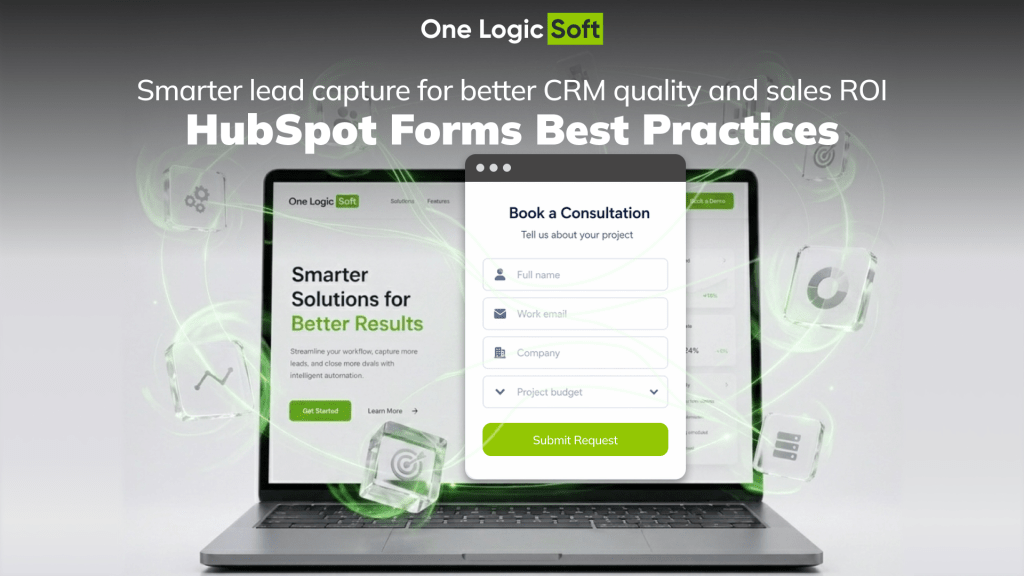
Bad Forms Are a Hidden Tax on Marketing
A weak form does more than lose a few submissions. It makes every marketing dollar less useful.
Paid traffic brings visitors. SEO brings qualified searches. LinkedIn campaigns bring attention from decision-makers. Then the form asks for a name, email, and message, sends everything into HubSpot as a flat contact record, and leaves sales to figure out the rest manually.
That is where lead capture starts leaking money.
A B2B form should not act like a simple inbox. It should capture intent, qualify the request, preserve campaign data, trigger the right workflow, and create a CRM record that sales can act on without detective work.
This is the real value of HubSpot forms best practices. The form is not just a conversion point. It is the first operational layer between marketing spend and sales pipeline.
HubSpot supports this structure through form automations, hidden fields, spam protection, CRM properties, workflow actions, and lead scoring. HubSpot documentation says form automations can trigger follow-up actions such as sending emails and creating tasks after a submission.
Most Forms Collect Contacts, Not Buying Signals
Many B2B teams measure form success by the number of submissions. That creates a false sense of progress.
A form submission is not always a sales opportunity. It can be a student, vendor, spam bot, job applicant, competitor, low-budget request, unclear inquiry, public email contact, untracked campaign visitor, or returning lead with no new context.
Sales then spends time sorting noise instead of speaking with the strongest opportunities.
A stronger HubSpot form captures signals that change the next action.
Basic form:
Who are you?
Revenue-focused form:
What do you need, how serious is the request, where did it come from, and who should respond?
For a software development company, useful lead signals may include:
- Service interest
- Industry
- Project stage
- Budget range
- Timeline
- Company website
- Region
- Current tech stack
- Campaign source
- Main business goal
The goal is not to make the form longer. The goal is to make every field earn its place.
Form Length Should Match Buyer Intent
Short forms are useful when the visitor is early in the research stage. Longer forms are acceptable when the visitor is closer to a sales conversation.
The mistake is using one form structure across every page.
| Form context | Suggested fields | Best purpose |
| Newsletter signup | 1-2 | Audience growth |
| Checklist download | 2-4 | Topic interest |
| Webinar registration | 3-5 | Role and company segmentation |
| Consultation request | 5-8 | Project qualification |
| Enterprise demo request | 6-10 | Sales routing and deal preparation |
For low-intent pages, less friction makes sense. For high-intent pages, extra qualification can save sales time.
HubSpot’s progressive fields can be useful here. They let teams replace known fields with new ones for returning visitors, so the company can collect more context over time without asking the same questions again. HubSpot notes that this feature applies to legacy forms, with newer form management moving through the updated editor.
Conditional Logic Makes the Form More Relevant
Static forms treat every visitor the same. Conditional forms adjust based on the visitor’s previous answer.
For One Logic Soft, that logic can be useful across service pages.
If the Visitor Selects Custom Software Development
The form can ask:
- What type of platform are you planning?
- Do you already have technical documentation?
- Do you need discovery, development, QA, integration, or support?
If the Visitor Selects HubSpot CMS Development
The form can ask:
- Do you already use HubSpot?
- Do you need a new theme, landing pages, templates, or CRM-connected forms?
- Are you planning migration from WordPress, Webflow, custom CMS, or another setup?
If the Visitor Selects App Development
The form can ask:
- Which platform is planned?
- Is the app customer-facing, internal, retail, logistics, healthcare, or marketplace-based?
- Do you need MVP planning, development, integrations, or analytics?
This structure reduces irrelevant fields and gives sales better context from the first request.
CRM Mapping Turns Form Answers Into Sales Data
A form field has little value if it lands in HubSpot as messy text.
Many teams create fields for the website, then forget the CRM model behind them. The result is easy to predict: sales sees unstructured notes, marketing cannot segment leads, management cannot track which services create real opportunities.
A stronger setup maps form answers into:
- Contact properties
- Company properties
- Deal properties
- Lifecycle stage
- Lead status
- Original source
- Service interest
- Industry
- Budget range
- Timeline
- Sales owner
- Lead score
This is where HubSpot CRM integration becomes a business process, not just a technical connection.
After a strong submission, sales should see:
- Name
- Company
- Website
- Service interest
- Budget range
- Project stage
- Source campaign
- Urgency
- Lead score
- Next task
When those fields are mapped correctly, HubSpot can support lead routing, workflow triggers, reports, segmentation, and sales prioritization.
Hidden Fields Protect Attribution
Visible fields qualify the request. Hidden fields preserve the source.
HubSpot allows form fields to be auto-populated through query strings, including hidden fields. This can pass UTM values into HubSpot properties without asking the visitor to fill anything extra.
For B2B campaigns, this data is essential.
A clean attribution setup can capture:
- utm_source
- utm_medium
- utm_campaign
- utm_content
- utm_term
- Landing page URL
- Referrer
- Lead magnet name
- Campaign group
- Client ID
Without this layer, every lead starts to look the same. With it, the team can compare real pipeline quality across SEO, Google Ads, LinkedIn, email, partner traffic, and content campaigns.
Filtering Keeps Junk Leads Away From Sales
Junk submissions create a direct cost. They waste sales time, pollute CRM records, damage reports, and make campaign performance harder to read.
HubSpot’s spam prevention features include CAPTCHA, spam submission management, blocking specific email domains, and blocking free email providers. HubSpot states that blocked free email providers can encourage visitors to submit higher-quality business email addresses.
For B2B companies, filtering can be structured in layers.
| Filter layer | What it does | Business value |
| CAPTCHA | Verifies human submission | Reduces automated spam |
| Free email blocking | Pushes users toward business email | Improves B2B data quality |
| Domain blocking | Blocks known bad sources | Protects CRM hygiene |
| Company website field | Adds business context | Makes review faster |
| Workflow rules | Separates weak requests | Keeps sales focused |
| Email validation | Checks address quality | Reduces bounce risk |
| Lead score threshold | Prioritizes stronger records | Improves sales focus |
This is one of the easiest places to reduce wasted time. The form does not need to treat every submission as equal.
AI Scoring Adds a Stronger Qualification Layer
AI should not replace sales judgment. It can make the first sorting layer sharper.
HubSpot has AI-based scoring features for contact fit and engagement scores. HubSpot’s predictive lead scoring uses machine learning to analyze customers and estimate the probability that open contacts will close as customers within 90 days.
This point needs accurate wording. The form itself does not close deals. A stronger idea is this: form data can feed an AI scoring layer inside HubSpot.
That means a submission can be evaluated against signals such as:
- Company fit
- Engagement level
- Lifecycle movement
- Form type
- Page context
- CRM history
- Deal probability
- Behavior before submission
The logic is simple:
- The form captures the signal
- HubSpot CRM stores the signal
- AI scoring ranks the signal
- Sales acts on the strongest opportunities first
For One Logic Soft, this creates a strong 2026 angle: HubSpot form architecture is no longer only about fields and buttons. It is about feeding clean data into CRM, automation, scoring, and sales prioritization.
Speed to Lead Is an ROI Issue
A qualified lead loses value when the response is slow.
Harvard Business Review research on online sales leads showed that many companies respond too slowly to incoming requests. The study summary reports that companies contacting a lead within one hour were nearly seven times more likely to qualify the lead than companies waiting another hour, and far more likely than companies waiting 24 hours.
This is why HubSpot automation workflows matter.
A strong post-submission workflow can:
- Create or update the contact
- Associate the company
- Create a deal for high-intent requests
- Assign the lead by region, service, budget, and industry
- Send an internal alert
- Create a sales task
- Send a confirmation email
- Apply lead score rules
- Move weak requests into a review queue
- Track first response time
The ROI angle is simple: faster routing means less delay between marketing spend and sales action.
Case Connection: Development Team Hub Website
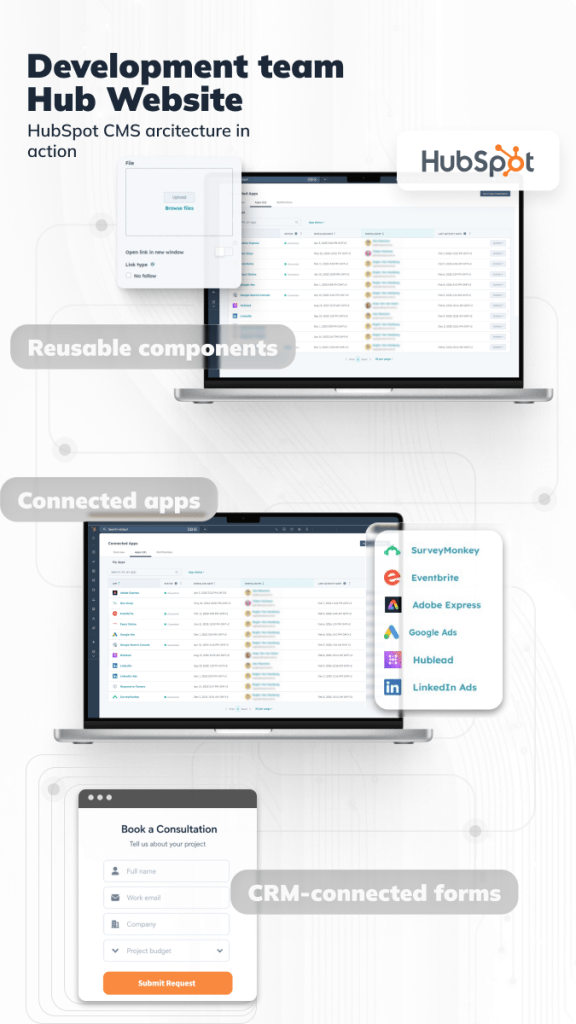
This article connects naturally with the One Logic Soft HubSpot case.
The Development Team Hub Website project can be framed as a practical example of HubSpot CMS architecture built around reusable components, dynamic HubL templates, and CRM-connected forms.
The problem was not only visual design. The deeper issue was operational structure.
The project needed:
- Reusable website sections
- Consistent page logic
- CRM-connected forms
- Cleaner data flow
- Easier content updates
- Lead capture tied to sales process
One Logic Soft built the website around HubSpot CMS, reusable components, and HubL-based logic. That made the website easier to manage and turned forms into part of a structured CRM process.
The case lesson is clear: a HubSpot website should not just publish pages. It should connect content, forms, CRM data, workflows, and sales follow-up in one clean system.
What a Strong HubSpot Form System Includes
A serious HubSpot form setup has several layers.
| Layer | What it includes | Business value |
| UX layer | Clear title, short intro, relevant fields, mobile layout | Higher completion quality |
| Logic layer | Conditional fields, form variants, service-based questions | Less irrelevant data |
| CRM layer | Contact, company, deal, lifecycle, score properties | Cleaner sales records |
| Attribution layer | UTM fields, referrer, landing page, campaign name | Better marketing reporting |
| Filtering layer | CAPTCHA, domain blocking, validation, review queue | Fewer junk leads |
| Automation layer | Alerts, tasks, routing, confirmation emails | Faster follow-up |
| AI layer | Fit score, engagement score, close probability | Better prioritization |
| Reporting layer | Source quality, lead-to-deal rate, first response time | Clearer revenue analysis |
This is the difference between “we have a form” and “we have a lead capture system.”
Common HubSpot Form Mistakes
Many HubSpot form issues appear small, then create bigger CRM problems later.
Common mistakes include:
- Generic message fields with no structured data
- No service interest field
- No campaign attribution
- No company website field
- No CRM property mapping
- No domain filtering
- No lead scoring logic
- No routing rules
- No task creation after submission
- No first response tracking
- No monthly review of form quality
The result is predictable: marketing counts submissions, sales complains about quality, leadership cannot connect website activity with revenue.
HubSpot Lead Capture Optimization Checklist
Use this checklist before publishing a new HubSpot form.
- Define the form purpose
Newsletter, demo, consultation, quote request, content download, partner inquiry. - Match field count to intent
Low-intent pages need fewer fields. High-intent pages can ask for more sales context. - Map every field to CRM properties
Each answer should support filtering, scoring, routing, reporting. - Add hidden attribution fields
Capture source, campaign, landing page, referrer, UTM values. - Use conditional logic
Show deeper questions based on service interest. - Filter weak submissions
Use CAPTCHA, blocked domains, free email rules, validation, review queues. - Set lead routing
Assign requests by service, region, budget, language, industry, urgency. - Add AI scoring
Use fit, engagement, and predictive scoring to rank leads. - Create sales tasks
Turn high-intent form submissions into trackable follow-up actions. - Measure form quality monthly
Review source quality, lead-to-deal rate, junk rate, first response time.
Where One Logic Soft Fits
Many teams can place a HubSpot form on a website. Fewer teams can design the full system around it.
One Logic Soft works with HubSpot architecture as part of a connected business process, where the website, forms, CRM records, workflows, reporting, and reusable content modules support one clear sales flow.
Our work covers:
- HubSpot CMS development
- Custom HubSpot themes
- Reusable HubSpot modules
- HubL-based dynamic templates
- CRM-connected forms
- Lead routing workflows
- UTM tracking logic
- AI scoring setup
- Sales task automation
- HubSpot reporting structure
This approach is part of how One Logic Soft builds digital products across different business cases. You can see more examples in our case studies, where each project shows how technical architecture, user flow, integrations, and business logic are connected inside one practical solution.
For B2B companies, this matters most when every qualified inquiry has real deal potential. A clean form reduces wasted effort. A connected HubSpot architecture turns website demand into a faster, clearer, and more organized sales process.
FAQ
What are HubSpot forms best practices for B2B websites?
The best practices are clear field structure, CRM property mapping, conditional logic, hidden attribution fields, spam filtering, lead scoring, routing workflows, and fast sales follow-up.
How can HubSpot forms reduce junk leads?
HubSpot forms can reduce junk leads through CAPTCHA, spam detection, blocked domains, free email provider blocking, validation rules, and workflow-based review queues.
Why does CRM mapping matter in HubSpot forms?
CRM mapping turns form answers into structured data. This lets sales filter, score, route, and track leads instead of reading every request manually.
What is AI lead scoring in HubSpot?
AI lead scoring ranks contacts based on fit and engagement signals. Predictive scoring can estimate the probability that open contacts will close as customers within a set period.
Why are hidden fields useful in HubSpot forms?
Hidden fields can capture UTM values, landing page data, referrer data, campaign names, and other tracking details without adding visible fields to the form.
How can One Logic Soft work with HubSpot form architecture?
One Logic Soft builds HubSpot CMS websites, reusable modules, CRM-connected forms, HubL templates, routing workflows, attribution logic, and scoring structures for B2B teams.


Have a project in mind?
Let's chat
Your request has been accepted!
In the near future, our manager will contact you.
Have a project to discuss?

Have a partnership in mind?